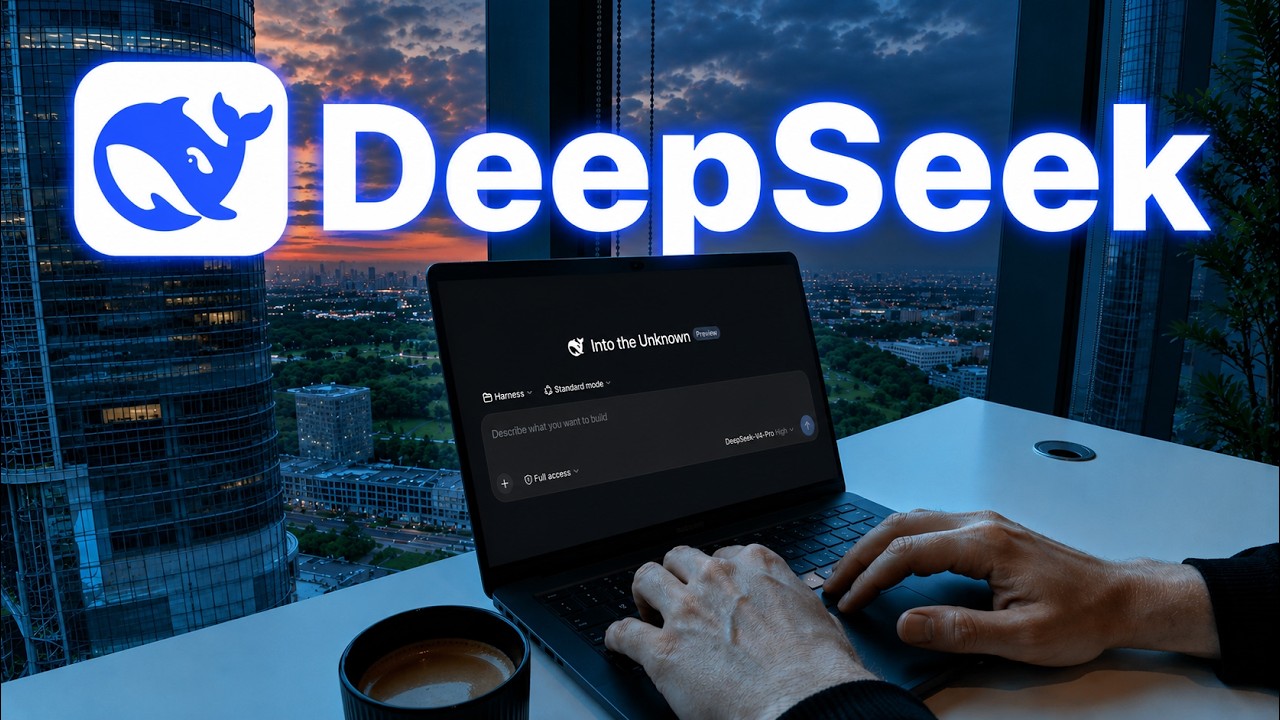
DeepSeek Harness Might Be Where AI Is Actually Headed
Now Playing
DeepSeek Harness Might Be Where AI Is Actually Headed
Transcript
431 segments
It seems like the current default path
is heading towards a very, very scary
place.
>> DeepSeek
>> DeepSeek
>> DeepSeek
>> And it is shaking this entire industry
to its core.
>> be really bad for China to be ahead in
AI capabilities.
>> China is beginning to engage in what
I'll call AI dumping.
>> About a third of corporations now are
supposedly using Chinese lightweight
open weight models that are cheaper.
>> If I were Xi, I would just dump cheap AI
into the US market. I think the US
market crashes.
>> They practically gave the whole thing
away for free.
>> It might be over for Claude and ChatGPT.
>> DeepSeek just released their own
harness, and this changes everything we
know about coding agents. It can do
everything that Claude code can do. It
can run commands, read files, but you
can use any model you want inside of
this harness. But do you know what's
very different? The price. I'm paying
$200 a month right now for Claude code
max.
>> Cursor is 20 bucks, but this new
DeepSeek harness is zero. Yes, you heard
that right. No free trial, not a starter
tier.
>> Zero. All you do is that you bring your
own API key.
>> There are a lot of people right now that
are making guides on YouTube right now
that are saying that you can stop your
Claude code subscription. However, you
should know by now that most setup
guides, they don't tell you the entire
truth. Because if you watch what happens
in those videos, they set it up, they
build some simple project, they say it
works, and then they're done. But no one
actually shows you the bills that break,
the things that actually matter, and the
thing that determines if you're going to
switch or not.
>> So, is DeepSeek harness actually as good
as people say it is? Well, I ran the
ultimate test against both Claude code
and Codex. Let's not waste any more
time. Let's get into it. Let's start
with the absolute most important thing
first, which of course is the pricing.
>> In order to have access to the Codex app
and use it for actually building stuff,
you would need the $20 a month
subscription, so ChatGPT plus, because
this gives the expanded access to Codex,
which you would need. The $8 a month
doesn't give you enough usage. It allows
you to build with the Codex app for
macOS and Windows. It has access to the
advanced reasoning models, which are the
ones that we're going to be using. These
things are pretty crucial if you're
serious about building anything. So,
Codex is $20 a month. Clo is writing it
in a little bit of a sketchy way, in my
opinion. They're writing $17 a month
right here. This is only if you take the
annual subscription. It is also $20 a
month when you pay monthly, which most
of us do. The problem with the Pro plan
is that you probably already know it. We
don't have that much usage on the Pro
plan. So, if you actually want to build
real stuff for your business, then you
would probably need the Max plan, which
is $100 a month. So, Clo is definitely
the expensive option. And then we have
the DeepSeek Harness, which was
literally just released. And the crazy
thing about this is that it's fully open
source. You can see, I can find the
GitHub repo right here. It has 177,000
stars already and almost 20,000 forks.
And the entire harness is open source,
which is pretty cool in my opinion.
However, one thing that we need to take
into consideration when we do the test
is that this is still in preview. They
literally just released this as a
preview to what is coming. And we're
going to talk more about this, but the
main thing that I think is super cool
about the DeepSeek Harness and is a
massive opportunity is the fact that
every capability is a plugin, they call
it, that can be swapped or recomposed.
So, we can literally change anything we
want about this harness. We can
customize it to our exact use case,
which is something we cannot do with
Codex or with Clo code, because that's
of course closed source. In this video,
I'll show you some insane use cases and
we're going to put it to the ultimate
test to see if this is just another hype
video or if it's actually something
that's good. Let's get into it. There
are multiple ways that you can install
the harness, and a lot of them are
pretty confusing and pretty technical,
but I'll show you the absolute easiest
way. Just copy this and paste it in,
say, install this, and it's going to
install it in a couple of minutes.
However, if you don't have Clo or Codex
installed, I've created this
installation guide, so you can just
follow this with these commands. I'm
basically just going to create a new
folder. I'm going to call it DeepSeek.
Then, I'm going to open up Visual Studio
Code. If you don't have it already, you
can just download it off the internet
just by searching Visual Studio Code
download, click open, and then choose
the DeepSeek folder that we just
created, just like this. Open the
terminal, and now we are ready. All we
have to do is just paste in this command
right here and hit enter. It's in the
installation docs. And this is going to
download and set up the harness for us.
When it's done, it's going to give you
this URL right here where the harness is
open. So, just paste that into your
browser, and now we are inside the brand
new harness that is still in preview.
There's a couple of things that we're
going to do before our test. The first
thing we're going to do is that we're
going to set it to full access. And for
the model, we're going to choose the
DeepSeek V4 Pro, which is the strongest
DeepSeek model. It's a lot cheaper than
the other models. I gave the pricing
from the Cloud API and the pricing from
the DeepSeek API. And what we'll be able
to see is that 5.6 Soul is 15 times more
expensive when it comes to the output
and 7 and 1/2 times more expensive when
it comes to the input. Opus is almost
the same as GPT 5.6 Soul. And then Fable
5 is 15 times more expensive on the
input and 25 times more expensive on the
output. So, if the DeepSeek V4 Pro is
just close to being as good as the other
models and can perform something that's
close, I would say that's a win for
DeepSeek. But, let's see. This is my
brutally honest test. We're actually
going to be starting with the hardest
and most exciting test first, which is
going to be running for a while. I want
all the models to try and build in Loom
clone with full authentication, full
back end, full database, absolutely
everything. So, what I'm going to do is
that I'm going to copy this entire
thing, and then I'm going to paste it
in. I'm going to set it to standard
mode, which is the full coding agent
with file editing and everything. We're
going to set it to the DeepSeek V4 Pro,
and we are going to set it to effort
high. So, this is what we're going to do
on all of them. I'm going to set it to
full access, so I don't have to sit
there and accept everything that it
does. And then we run it. And then we're
going to do the exact same for Claude.
We're going to paste in the exact same
prompt. We're going to use Opus 5, which
is the closest equivalent to the
DeepSeek model. It is still like 10
times the price. But again, what we're
testing right here is not necessarily
the model, it's the model and the
harness together. We set it to auto mode
and then we hit enter. And then we're
going to take the exact same prompt,
give that to Codex as well, use 5.6 with
high, and then run that prompt as well.
And there we have it. All three
harnesses are now running side by side
on the exact same prompt. I can see I
just forgot that Opus 5 of course needs
to be on high as well, same as the other
models, so it is fair. But now my guess
is that it's going to take a couple of
hours for each models now build this
out. So I'm very excited to see the
results. In the meantime, I want to show
you some extremely cool things you can
do inside of DeepSeek as well. That's
pretty unique to a harness that I've
actually never seen before. DeepSeek has
done something that's very cool that
I've never seen before inside of a
harness. Usually you're only able to see
the chat. You're not able to see what's
actually going on behind the scenes. But
we have this button right here,
trajectory, where we can literally see
all the tool calls, what the AI is
thinking, exactly what's going on
throughout this entire process. Because
it is open source, it allows us to
actually look behind what's going on,
which is extremely cool. And on top of
that, the customization that I talked
about earlier, we can go inside of
settings and then we can go inside of
plugins. And then inside of the plugin
list, we can literally enable and
disable every single tool inside of
here, which is pretty cool, not going to
lie. And because it's open source as
well, and we are running this harness
locally, we can actually update and tune
this to whatever we want. It's almost
like playing with Legos. All right, all
harnesses are running side by side. I'm
extremely excited to see the result of
how well this new harness performs
compared to Codex and Claude. Because if
it's even close, and we are paying 1/10
of the price, that would be such a
game-changer. Well, only time can tell.
This is going to take a couple of hours
before they are ready. Now comes the
part to I look at the result for what
these models and harnesses actually
built. We have three separate platforms
that look kind of similar. Some are
definitely better than other and I can't
even remember what platforms are which.
So, I'm going to look at them, give my
honest opinion about what platform I
think is best and then you'll see
exactly what harness and model is
actually best. So far, just looking at
this landing page right here, this looks
extremely good and clean. I really like
how it is designed. This honestly looks
very good. The pricing card they look
clean. It does look a bit vibe coded so
you will still need to put in some
effort when it comes to like making this
animation look not as vibe coded. But as
a landing page off of one prompt, I
think that's pretty good. Let's log in.
Already now running into a bug for the
first software. I'm going to fix the bug
so we can see the rest of the platform.
We just need to keep in mind that we
already have a bug on this platform. We
can't even log in. Okay, to be fair, it
wasn't an issue with the software. It
was just the port on our computer that
we were running it from. Let me log in
right quick. We receive an email like
this where we can just click open. This
email, to be fair, looks very good and
professional. So, that's pretty good.
And then we actually have an onboarding
that looks good. Start my first
recording. It asked us for our camera
right here. That's pretty cool. Let's
click allow this time. Allow for the
microphone and let's click start
recording. Entire screen. 1 2 3 testing.
1 2 3 testing. Is it working like it
should? This screen right here that we
just saw, that was a bit buggy though.
So, not the best user experience there.
Recording didn't start. Bug number two
that we need to fix. All right. Now it
actually uploaded this time. Let's see
if it actually works. It does. The
recording is kind of messed up but this
is, to be fair, what I saw on my screen.
So, now we have a fully functioning Loom
right here. Pretty impressive, not going
to lie. And it has the link that we can
send to people to share. This issue
right here with the images though, but
like we have a fully functioning app and
the UI honestly looks very, very good.
We even have multiple workspaces. And we
can even create folders. Not bad for the
first one. Let's check the other two.
This is Loomy. I actually have no idea.
I forgot which one was which. But we can
sign in here as well. We get this login
link right here where we can sign in
with a magic link. All right, we have an
onboarding again. Product demos,
continue to our first recording. There
we go. Allow, default camera, default
microphone. Not showing a preview right
here. Start recording. Hello, does this
work? Can we see the screen right here?
So, I bug with this software as well.
Let me try and fix that so we can have
three working products so we can compare
them one by one, but of course we got to
keep in mind how much time it actually
takes to fix it because so far none of
these harnesses has actually one shot
this. All right, fixed the first bug in
this software so we can click start
recording, choose our entire screen.
This is going to start the countdown and
I can say yo, yo, yo. Can you hear what
I'm saying? We can show this screen a
little bit. We can show this and then we
can stop the recording. Finalizing your
recording. That was actually pretty
quick this time. Paste this in and see
if it works. It does. And it shows me
this little squish though, but we have a
fully working Loop Count with audio. All
right, not bad. It doesn't have the
entire platform like the other one had,
so that's a bit of an L, but it can do
what we need it to do. And then we have
the last one also called Loomy. We can
also sign in here. The UI looks pretty
good here, not going to lie. Then we
have this like an email right here where
we can like create an account. We have a
very clean onboarding. This looks good
and then we can like start recording to
our screen. Let's see if it can actually
one shot this cuz none of these has been
able to one shot it so far, but it would
be cool if one of them can one shot it.
So, my like screen is down here in the
left hand corner. So, it's showing while
it's recording. Go a bit to this screen
as well. Go back a little bit and click
stop. Wrapping up your recording. Upload
problem once again. So, every single one
of the harnesses couldn't one shot this,
which is very, very interesting. Let me
fix that and be right back. All right,
and there we have it. Now the upload
works. Exact same bug as the other one,
so it's very interesting how no one
caught that one. But now we have a
perfect screen recording software. And
this software also has a my library tab,
but that doesn't work.
Let me try and sign into that again and
see if it works then. Cool, so this
platform also has an entire back end
that looks pretty good. I like this.
It's very intuitive. So, that definitely
gives an extra point as well. All right,
the time for the big reveal. What
harness and model actually created each
of these? The first one that had a code
of box was actually Codex that worked
for an hour and 46 minutes. So, it took
almost 2 hours to build up this
platform. And I'm going to say based on
the free we have right here, I like this
UI the best. It's nicer on the eye. This
looks very by coded, however, but like
in general, the platform looks nice.
Number two that's running on port 3100
was actually DeepSeek and you can see it
has run for 82 minutes. So, what is
that? Like an hour and 20 minutes? That
is not bad. Considering this model is
1/10 of the cost of the two other models
that we're using right now, it creating
this and creating a working product, we
had one bug we had to fix. It's honestly
really, really impressive. I still like
the UI better on this one. I like the
platform and how intuitive it was
better, but considering that it's an
open source model and that it's 1/10 of
the price, I'm honestly extremely
impressed. I didn't expect that. And
that also means the last one, this one
right here, the third one was made by
Claude Code. The crazy thing is that
Claude Code and Opus was the one that
took the longest by far. It took 3 hours
and 27 minutes to build out, which was
twice as long as DeepSeek and almost an
hour more than Codex. But what do you
guys think? Let me know in the comments
which UI, which logic that you like the
best and if you're going to be using the
DeepSeek harness yourself. If you want a
full guide for how you can take your AI
knowledge and turn it into a business,
then you can consider our community. You
can try it completely for free. It has
all of my Claude skills and it has the
7-day challenge that takes you from
nothing to building an AI business in 7
days. I'll leave a link in the
description below. It's safe to say that
Chinese AI is catching up. I'll say that
I like this one the best from Codex,
then probably Claude, and then DeepSeek.
But DeepSeek is not far from the other
models and it's 1/10 of the price. Thank
you so much for watching. Albert out.
Interactive Summary
Ask follow-up questions or revisit key timestamps.
This video examines the recently released open-source 'DeepSeek Harness', a coding agent that enables users to run various AI models with significantly lower costs compared to traditional alternatives like Claude Code or Codex. The host puts the DeepSeek harness to the test by tasking it, along with its competitors, to build a fully functional Loom clone. The results show that while all models required some debugging, the DeepSeek harness performed remarkably well, completing the task in a competitive timeframe and at a fraction of the cost, raising questions about the future of established AI coding assistants.
Suggested questions
3 ready-made promptsRecently Distilled
Videos recently processed by our community