The best windows laptop I've ever used! Galaxy Book6 Ultra 2026.
Now Playing
The best windows laptop I've ever used! Galaxy Book6 Ultra 2026.
Transcript
559 segments
Hey guys, how's it going? So, I got a
big one for you today. This is the
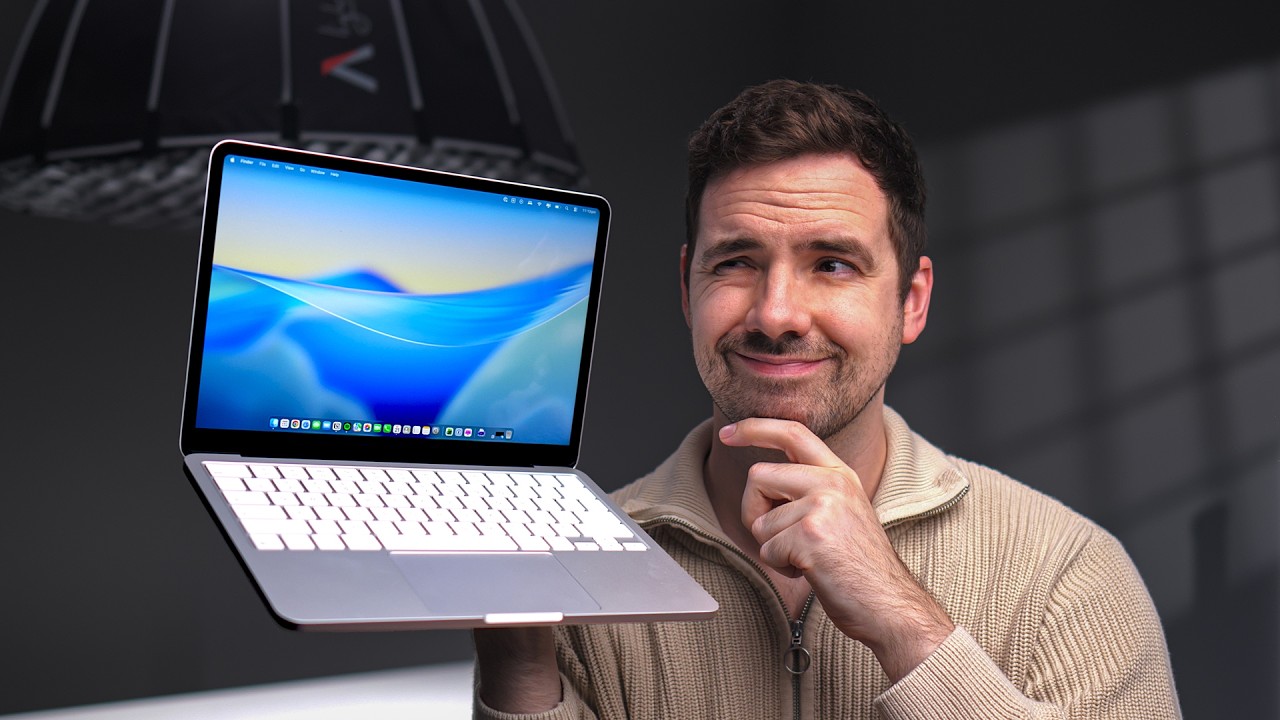
Galaxy Book Ultra 2026 model. They've
completely redesigned this laptop
compared to when I used to compare
Samsung laptops. And if you've seen
those videos, I was a little bit iffy
about them. I was under the impression
that unless you really care about the
Samsung ecosystem, I would skip those
laptops. But man, Samsung has crushed
it. And I am afraid to say this, but
this is probably one of the best laptops
I have ever used. Though it is
expensive, way too expensive. Hopefully
there's sales in the future. Anyway,
let's get right into it. One reason is
the build and the design. You guys know
I always start off my videos with the
build and design because that's
incredibly important to me. I tend to go
for more premium options and because of
that, I expect a lot and this delivers.
Man, Samsung really crushed it with the
build. It is wonderful aluminum among
the best I've ever felt. MacBook level.
I know a lot of laptops have aluminum,
but they're not all created equal. This
one uses a thick gray that feels almost
always cold to the touch. And because of
that, there is not any flex at all, even
on the center of the lid, which is
really difficult for a lot of laptops to
pull off. And this one does it
fabulously. The back is the same
aluminum, and it's got a nice texture to
it, too. The texture is the same
throughout. Even on the keyboard deck,
the only time where things start to
differ is the keyboard deck area. It is
black and it is different, but this is
also aluminum, too. You can feel the
cold metal, even though it is a
different color. And it is a cutout. It
is still the same high quality aluminum
with no flex at all to the keyboard.
I'll come back to the keyboard deck and
the trackpad a little bit later on, but
just wanted to tackle the build.
Incredibly well done. I I want to come
to the back here. There's no visible
screws. I haven't really messed around
with that. In terms of opening up this
laptop, I'm assuming you may have to
remove these rubber feet to do so.
They're going for a clean look that
doesn't have any exposed screws. You may
like that or you may not like that, but
it is a very clean look even though you
do have these intakes because this does
push a decent amount of power. This does
have an RTX 560 in it. And I'll talk
about performance a little bit later on.
But one thing I will say though, and I
know Macs do this, I don't like these
rubber feet in particular. I like when
there's more of like a bar across the
entire laptop. It just provides more
grip. Like when it's on your lap, it
just seems to slide down less. The Max
do this, too. And I really hate on the
Max. At least these do provide a little
bit of grip. Part of the build is the
hinge. And you already saw me open it.
It's incredibly easy to open. One hand,
no problem. Despite there's not being
too much tension. It's really easy to
open and close. This is a touchcreen and
even though it is a touchcreen, there's
not much wobble as you are using it. A
little bit that you able to pick up on
the screen. It's just because of this
angle, but from my viewpoint, I am not
seeing any wobble at all as I use this
touchcreen. Maybe a little bit when you
press too hard, but much better than
most other laptops. All right. And now
to the design aspect of it. This Samsung
logo, I find it to be weird. I saw a lot
of other reviews praising this. It just
seems off-putting that it's on the
bottom of the laptop when you're looking
at it. I guess I would have just
preferred it in the center or maybe not
even at all. But thankfully, I can just
cover it up with a sticker if I do end
up keeping this laptop. And I'm and I'm
very much considering it. And another
thing that's done very well, let's see
if you could hear this.
Oh man, even when you close the laptop,
it sounds incredibly satisfying. You go
from the very smooth tension of the
hinge to where it just automatically
snaps in place. I mean, this is the kind
of stuff that Samsung is really good at
when it comes to their foldables and
their phones, etc. So, really, really
good attention to detail throughout.
It's unbelievable how better the build
and the design is overall compared to
Samsung's previous attempts at laptops.
All right, enough gushing over this
stuff. Let's talk about the actual
practicality of using this laptop. And
we'll start off with the keyboard. This
is where things might not be perfect.
Even though this is an overall great
laptop, the keyboard is just fine. It's
good in many ways. So, I don't usually
script my videos, but there's a lot of
little details I've noticed about this
Samsung. I usually put them in a whole
bunch of bullet points and I tackled
them, but by the time I was done, I
pretty much had an entire script. The
reason why I'm mentioning that is I did
that entire thing on this keyboard. And
you know, at first the the the keyboard
travel is very shallow. I don't know how
much millimeters it is, but it is very
short. Might take some getting used to,
but once I did, I found myself typing
away. No problem. I've always felt that
Samsung keyboards felt cheap or they
felt like mushy and almost like rubbery
and membraney, like when they felt kind
of rubbery or siliconey. This actually
requires a good amount of force to press
down which does help with the travel
kind of offsets it to make it feel a
little bit more premium. I have found
that when I was typing for a long time
over time the actuation force is a
little bit stiff. I did find my fingers
getting a bit fatigued after a while but
I'm sure that's something that I can get
used to over time. Overall the keyboard
is fine. They did lose the number pad
which I know a lot of people might like.
I deal with numbers for a living, so I'm
not a fan. But by doing that, they're
able to have these big girls to the
side, and wow, do they sound good. Among
the top five in last place, but still
manages to be top five. Let's take a
quick listen.
>> Okay, first of all, it gets incredibly
loud. One of the loudest out there,
which I'm really happy about. It does
use Dolby to process the sound and Dolby
is among the best out there. When you're
playing games, especially when you use
the dynamic mode or the movie mode, the
surround sound effect is incredibly wide
and sparse. It almost makes it seem like
there's sounds coming from all around
you. If you've used any laptop with
Dolby Atmos in it, then you know what
I'm talking about. This one is a very
good representation of that. All right,
really quickly. We got to spend some
time talking about this trackpad. It is
gigantic, very, very large, and it does
not need to be this big. I'm probably
using like 80% of the trackpad at any
given time, but there's no way I'm using
it at all. And not many times, but it
has happened a few times where I've had
some mishaps where the palm rejection of
the trackpad wouldn't exactly do its job
and the mouse will start to click
around. Not that much though. Not enough
to really bother me. I'm just mentioning
it because it happened a few times. I
mean, that could be offset with some
future firmware revisions. And Samsung
has been constantly updating this ever
since I got it over the past few weeks,
but it could have just easily been
handled better by not having such a
large trackpad. And by having such a
larger trackpad, the entire keyboard
deck ends up being large. And as a
result, and I'll talk about this a
little bit later on when I get to the
display section is the bottom bezels are
end up being very tall. So in terms of
the design, I should have probably
mentioned that earlier that the bezels
overall aren't especially thin. And that
bottom bezel, oh man, a bit a bit of
sore eyes there. Coming back to the
trackpad, even though it's large, this
is the best trackpad that Samsung's ever
made. It is haptic and it does a good
job of simulating a press with this
vibration motor. Very happy about it. It
does feel a little bit shallow though. I
know there's no real travel, but the way
the motor is designed, it just feels
like it's a very shallow press. I guess
it helps match the shallow keyboard, but
overall tracking is very good and fast.
It wasn't at first. Thankfully, there
were some day one updates from Samsung
that address that. And the overall
latency of this trackpad is very fast
and I find I could be very precise when
I need to with this. Okay, ports. I
don't want to make this too boring.
You're covered with just about
everything you will need. I do like to
see one USB type-C port on each side
depending on if you dock from the left
or the right side. That would make
things a lot more convenient for you.
And one thing you may be noticing is
there is no proprietary charger. So,
that means this entire laptop has to be
powered by 140 watts because that's all
that these USB type-C ports allow, which
is nice, and I'll tackle that a little
bit more in the performance section.
There are some trade-offs with that. The
good thing is is you don't have to bring
a proprietary charger, and you're not
going to get a lot of performance loss
by not using that dedicated charger, but
then as a result, you're just naturally
not going to get as much performance as
you would with a higher watt charger.
And again, talk I'll talk about that
more when I get to the performance
section. One thing to point out is there
is no Windows Hello with the IR cameras.
We everything is done through the
fingerprint reader. And after using
both, I definitely prefer the
fingerprint reader cuz I'm not always
looking directly in front of my laptop.
And just being able to press my finger
on it really, really makes things handy.
And it is incredibly fast, too. I think
this is the best implementation of a
fingerprint reader I've ever used on a
Windows laptop. Okay, software, which is
not something I typically cover in my
laptop videos, but I do want to spend
some time with this one because it's a
very good implementation of it. There's
a quick settings in the system tray.
Almost looks like it's a Windows
settings, but they're specifically
related to Samsung. So, you can turn on
that Dolby Atmos. Like I mentioned,
there's different options. But what I
really like is you can change the
different performance modes on the fly
without even having to open up the
software. I feel like every single
laptop should do this. So you could
block the camera. Yeah. And there's just
some other cool stuff there. Really,
really, really good idea. So, let's just
look at the rest of the settings really
quickly. I'm not going to spend too much
time on it because it it's just very
simple. So, because I have Galaxy Buds,
they are paired to this device. So,
really good integration with some of the
systems. I've done a Samsung Eco video
system in the past. If you want to check
that out, I'll leave it down below. But
so yeah though the rest of the settings
are very standard if you've used a
Samsung product in the past a good
amount of features and a very easy
software to use. All right since we're
in this section let's talk about the
display really quickly. Since I started
this channel I probably said this a
total of maybe five or six time but this
is the best display I have ever seen on
a laptop. The resolution is super high.
It's 2880 by 1880 at 16 in. And even
though this does have an unusual
subpixel layout, which most OLED laptops
tend to have, because the resolution is
so high, I'm not able to visibly see any
type of text fringing. Everything still
looks very sharp and fine details are
still presented nicely, which is
something that OLED laptops tend to
suffer with. So, I think this is the
perfect resolution at 16 in. the colors
and the calibration is spoton, but for
me, I did have to go into the settings
and crank the color tone all the way up
to the warmer setting. And once I did
that, I got a very accurate profile. So,
accuracy was very nice. And Samsung
offers several different presets
depending on what you're doing. There's
a DCIP3 movie mode, Adobe RGB, sRGB, and
the native. And also, there's an auto
mode, which is supposed to switch things
over. I just been leaving it in auto
mode. And yes, the colors are clamped
depending on which profile you use. So
very nicely done. But anyway, coming
back to the quality of the display
itself. The colors are very nicely
presented. This is definitely Samsung's
best implementation of their OLED panel.
I don't know if all their laptops are
going to be getting it this year or
Samsung Display is only giving Samsung
electronics their best stuff yet. But I
wouldn't be surprised if you're seeing
the same display in all the laptops. And
it just gets incredibly bright, too. I'm
going to assume that in SDR it goes up
to close to 500 nits, maybe a little bit
more. But there is a special mode. When
you take this outside, there is an
ambient light sensor on it. And the
moment it detects sunlight or incredibly
bright lights, it goes up to over a,000
nits. You can see me taking this
outside. I'm in the shade. that when I
get into the sun, the laptop almost
turns black. That's because even 5 or
600 nits isn't good enough to combat
bright sunlight, especially with a
reflective display, which I'll talk
about in a second. But you can see all
of a sudden Samsung flips on this mode
where the display gets incredibly
bright. And I know there's a bit of
flicker on my footage there because it
was such a bright day. I had to have a
high shutter speed to be able to capture
this. But because of that, I can
actually use this laptop just about
everywhere in every situation in dark
rooms, medium rooms, and and even
outdoors, which is something that I
could have only done on the Mac. And I
know I keep on comparing this to the
Mac. I spent most of last year using a
Mac, even though I don't like Mac OS,
but their hardware was just so good.
It's really nice to see Samsung and
Windows in general catching up in so
many of these areas. And the display is
fairly anti-reflective. It just does a
very good job of bouncing away bright
lights and it still manages to be
glossy. So, it's the best of both
worlds. Really, really awesome panel
overall. All right, so let's talk
performance. If you are looking for a
performance workhorse, this isn't your
laptop. And that's okay. The good thing
about Windows is there's just lots of
options because Samsung went for a
lighter package. This thing only weighs
4.1 lbs. one of the lightest laptops out
there with a dedicated GPU. And on top
of that, like I mentioned earlier, the
USB port only supports 140 watts of
charging. So, you're not able to push
120 watts to the RTX 560 in this and
then another 3040 watts to the new Intel
Core Ultra 3 series chips. There's just
going to be tradeoffs. And but as a
result, I still found the performance to
be very good. So, let's just start off
with Cinebench single core. The Samsung
is holding its own in terms of the CPU
performance compared to everything else.
Yes, of course, the HP Omnibook X is
destroying it, but that is a that is a
much thicker and heavier laptop that
almost deserves a dedicated GPU in it.
But the Samsung's not losing by much. I
know. Okay, fine. But if you're going to
compare it to the MacBooks, those are
just better chips when it comes to
running Cinebench in single core. So
there's nothing that Samsung could do
about that. That just requires these
chipmakers to get better. Now let's look
at multicore, which is important for if
you're doing more intensive tasks like
even me running my spreadsheets and
stuff as an accountant. I notice myself
using the multicore a lot and also if
you're going to be using this for
creative tasks and the Samsung is
actually beating out the HP Omnibook.
It's beating out the Razer Blade 16 from
last year. Remember this is just a CP
only test. is beating out just about
every single thin and light laptop out
there obviously except for the Ryzen 9
395 AI which uses about 70 70 to 80
watts on just the CPU alone and same
with the MacBook Pro. These Intel Core
Ultra Series 3 chips are meant to only
go up to 45 watts. So Intel doesn't make
these chips to use double the amount of
power that the top leading laptops here
are. But in terms of Samsung, it is
doing incredibly well. So now let's look
at the GPU. And this is using a 5060.
And this is when you might start to see
other laptops do better. The Samsung is
in close to last place here because that
RTX 560 just isn't able to get as much
power as the other laptops out there.
But you know what? It still does fine.
And now let's look at a gaming
benchmark, which is just Steel Nomad
Light. has become my favorite one
because I find it to be very
representative of what actual laptops
would perform like and I have a lot more
devices that I've tested this on and the
Samsung has done a good job holding its
own. One thing I want to compare this to
especially is the new Lenovo Legion 7A
and I need to do a review of that. Get
subscribed if you want to see it. that
also has a 5060, but because that ships
with a 245 watt charger, the GPU is able
to do a good amount better and it is
noticeable in games. Speaking games,
I've been using this a lot to game with,
and it's been such an enjoyable
experience. The overall system latency
is very low, so it's just as immersive
as playing with a dedicated gaming
laptop. The performance again isn't as
high as you could possibly get, but man,
I'm I'm able to play all my AAA games
that I'm playing through right now.
Resident Evil Reququum with Path Tray
enabled at high settings, messing around
with different DLSS options, I'm able to
get like 45 to 60 frames per second,
depending on how much you want to mess
around with the different settings. And
I find 45 frames per second to be very
suitable for me. Everybody's different.
One good thing about this display is it
does support a variable refresh rate
from 30 all the way up to 120 hertz. So
that's why 30fps can start to seem very
smooth on this laptop because it is
using variable refresh rate. A lot of
them go from 45 Hz or higher, even 60 Hz
or higher. So being covered with
variable refresh at only 30 FPS just
makes this entire system feel a lot more
smooth. If you're somebody who does not
need to play at 120 fps, 200 fps, and
you're somebody like me who's actually
very fine with playing most games at 45
fps or higher, you can run everything in
high settings, and I think you're going
to have a good experience with this. The
battery starts to go down really fast
once you start pushing it. But USB
charges it just fine. So like I can just
have a whole bunch of USB chargers all
around the house cuz they're fairly
inexpensive. a dedicated proprietary
charger. For most other laptops are like
200 bucks plus. So everywhere I go, I
have easy access to a charger and I'm
just bringing control with me and I'm
gaming all over the place. So this makes
this a lot more portable of a gaming
laptop than a lot of the other ones out
there and I really appreciate that. And
in terms of the overall surface
temperatures, they haven't been too bad.
when I'm gaming on my lap, like the back
of the laptop here would get a little
bit hot and I would just have to
reposition a little bit, but it is not
unbearably hot as most other laptops
I've used. The keyboard deck doesn't
really get that hot either. So, it's
just a very good immersive experience.
And coming back to those speakers, wow,
gaming on these speakers has been
incredible. I haven't been needing to go
to a gaming headset as much. I so I
start off this video by saying that this
is one of the best laptops I have ever
used and I just and and it's and I don't
know how much I portrayed that here. I
went through a lot of objective findings
in this video, but the overall package
just makes this a very compelling
product. It's one of those things where
the sum of the parts is greater than the
whole. You're getting among the best
build in the industry. A good keyboard,
haptic trackpad, which you don't see
much on Windows laptops, the best screen
I've ever seen, good thermals, good
performance, just it's just too
expensive right now. This is This is
like $3,000 on Samsung's website. You
got to wait for a sale. This should this
should honestly be like a 2,00 maybe 222
20 maybe 25 or $2,600 laptop because of
the premium build quality. But once the
price on this goes down, I have no
problem recommending this. And I've
never really said that about a Samsung
laptop. So there's probably a lot I
didn't cover. This video is going to be
longer than my other videos because
there's like a lot of little notes that
I just had to take while using this
laptop. There's a whole there's so much
attention to detail. All right, enough
gushing over this laptop. I absolutely
love it. And because I am gushing over
this laptop so much, I may or may not
use affiliate links cuz I don't want you
guys to think that I'm trying to sell
you a laptop. So, I just want you guys
to know like I'm just trying to be
honest here. I bought this with my own
money. Samsung did not send this to me.
This is just my real opinions. And if
you go back and you look at my other
videos, I don't really I don't really
get that excited these days over a
laptop, but this just does so much right
and I can't wait to continue to use it.
All right, thanks guys and I'll see you
guys in the next one. by
Interactive Summary
Ask follow-up questions or revisit key timestamps.
The reviewer highly praises the Samsung Galaxy Book Ultra 2026, calling it one of the best laptops they've ever used, despite its initial high price. They highlight its premium build quality, featuring wonderful aluminum and a clean design with no visible screws. The display is deemed the best ever seen on a laptop, boasting high resolution, accurate colors, and exceptional brightness, even outdoors. While the keyboard has shallow travel and the gigantic trackpad can have minor palm rejection issues, both are considered good or the best Samsung has offered. Performance is good for a lightweight laptop with an RTX 5060, capable of running AAA games smoothly thanks to VRR, though it's not a powerhouse due to 140W USB-C charging limits. The speakers are excellent, and the overall integration and attention to detail make it a compelling product, especially if bought on sale.
Suggested questions
7 ready-made promptsRecently Distilled
Videos recently processed by our community